← All guides
Complete KYC and add a payout account in Queek
Submit the required business information and connect the account where Queek should send payouts.
Use the exact legal details on your verification documents so the review can match them.
What you need
- Your legal business and identity details.
- The requested verification documents.
- The payout account details approved for your business.
Complete verification on desktop
- Open Settings and choose KYC.
- Read the verification checklist. Queek requires BVN and NIN for identity verification; business accounts may also require a CAC certificate.
- Enter the 11-digit BVN and press Verify BVN. Enter the NIN and press Verify NIN only after the BVN step is complete.
- If the business path is shown, enter the CAC number and upload the CAC certificate through the secure form, then submit it.
- Wait for each checklist item to show verified or under review. Do not treat the form as complete while BVN, NIN, or the bank step is still pending.
- Open Payout Account, choose the account type, select the bank, enter the account number, and confirm the auto-filled account name matches the verified identity.
- Press Save Account, then use Verify Account when the button becomes available. Check both KYC and payout status before leaving Settings.
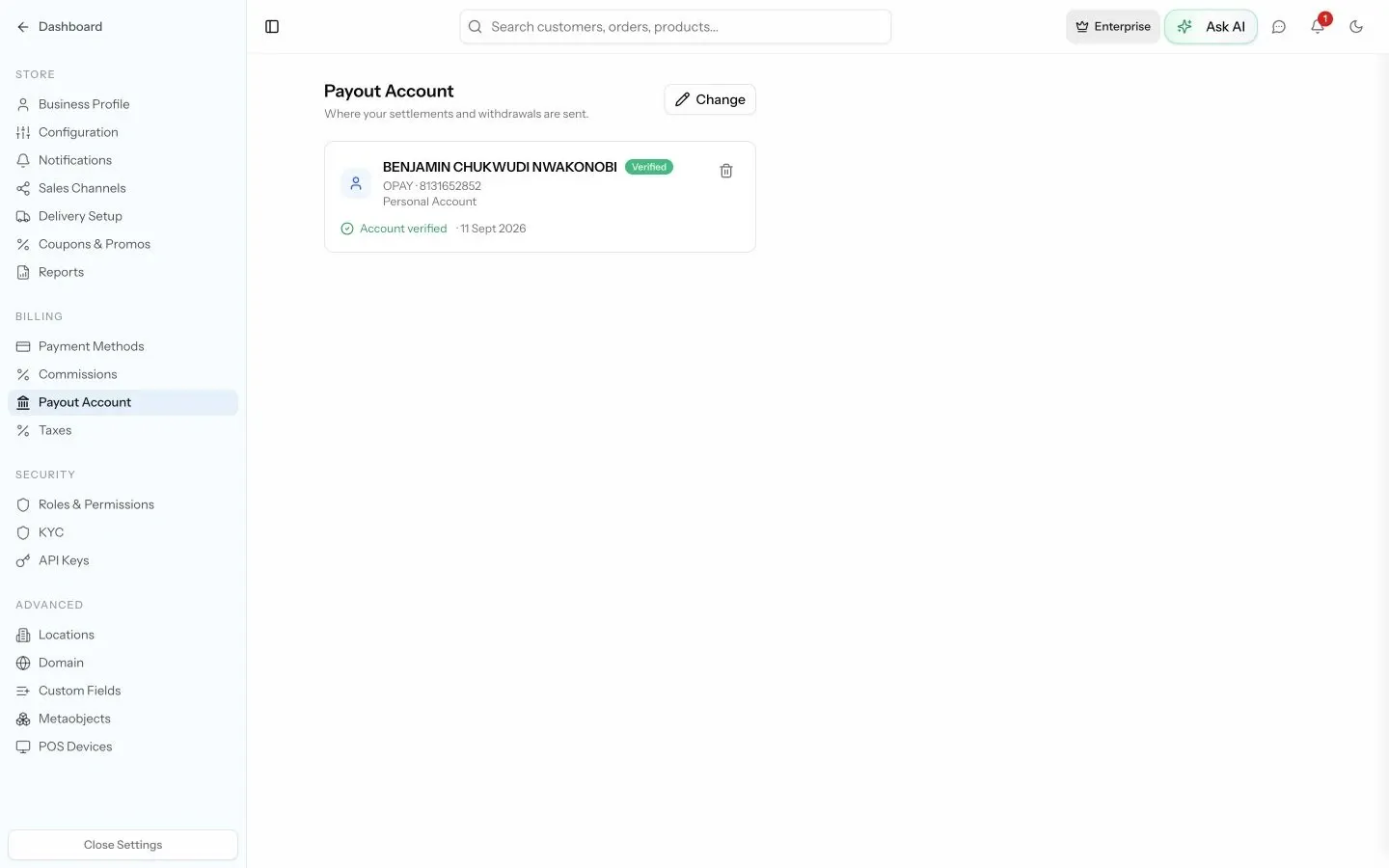
Desktop payout form: choose the bank and confirm the account name before saving.
Check the desktop result
- KYC shows submitted or approved, not an incomplete form.
- The payout account is saved and the account name is correct.
- Any review request is visible in the same settings area.
Complete verification on mobile
- Tap Menu → Settings → KYC.
- Complete BVN with Verify BVN, then complete NIN with Verify NIN. Add the CAC number and certificate only if the business path asks for them.
- Wait for the checklist to show the verification status.
- Open Payout Account, choose the account type and bank, enter the account number, and check the auto-filled name.
- Tap Save Account, verify the account when prompted, and confirm both KYC and payout statuses.
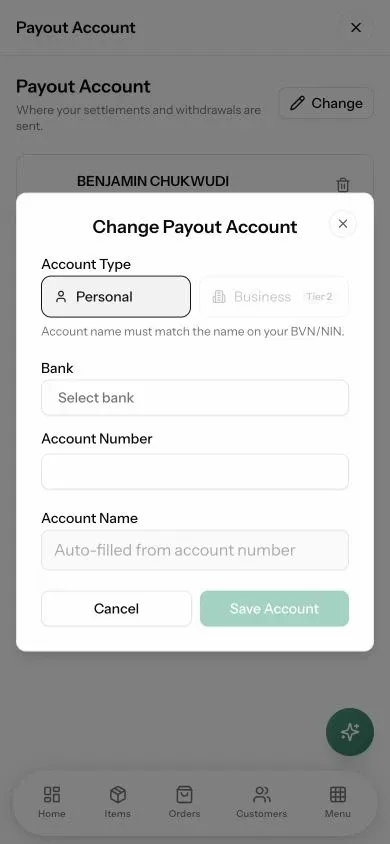
Mobile payout form: check the verified account name before tapping Save Account.
Check the mobile result
- The status confirms the submission went through.
- The payout account details are correct.
- You know where to return if verification requests more information.