
← All guides
Set up and manage WhatsApp, Instagram, and Telegram Inboxes
Connect supported customer channels and keep their inbox settings ready for incoming conversations.
Use one channel at a time so each connection and message setting is easy to verify.
What you need
- Access to the WhatsApp, Instagram, or Telegram account you want to connect.
- At least one product enabled for the channel.
Connect and check an Inbox on desktop
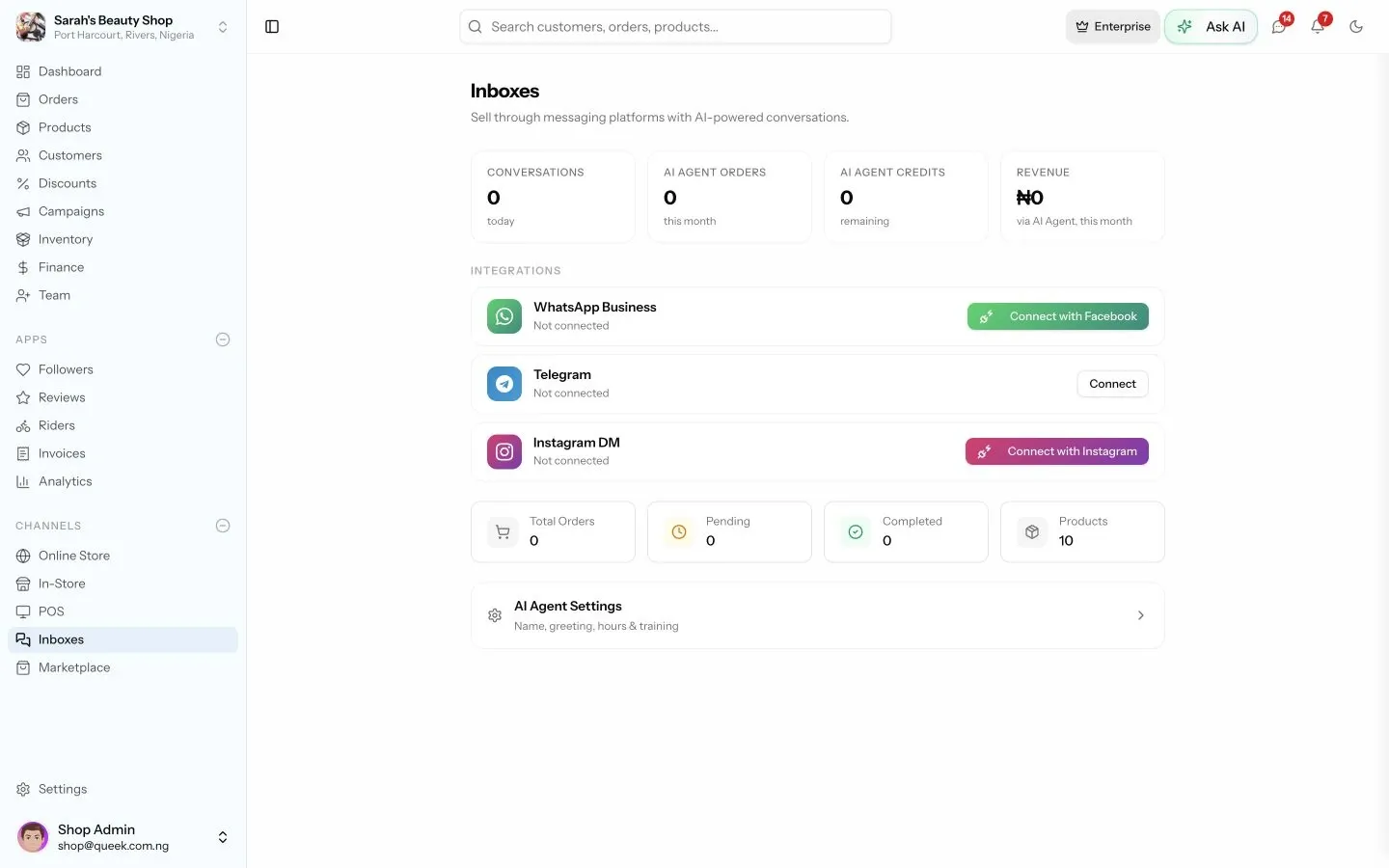
- Open Channels → Inboxes and choose the channel you want to configure.
- On WhatsApp, press Connect with Facebook. On Telegram, press Connect Telegram. Complete the provider’s sign-in and consent flow in the new tab or popup.
- Return to the channel page and confirm its status changes from Not connected to connected or online.
- Open AI Agent Settings and review the agent name, greeting, business hours, and chat experience. Open Training when you need to add FAQs or product knowledge.
- Save the settings or training changes, then verify that the intended products are enabled for Inboxes in the product form.
- Send one test message from a separate account and confirm the greeting, product response, payment link, and resulting order appear as expected.
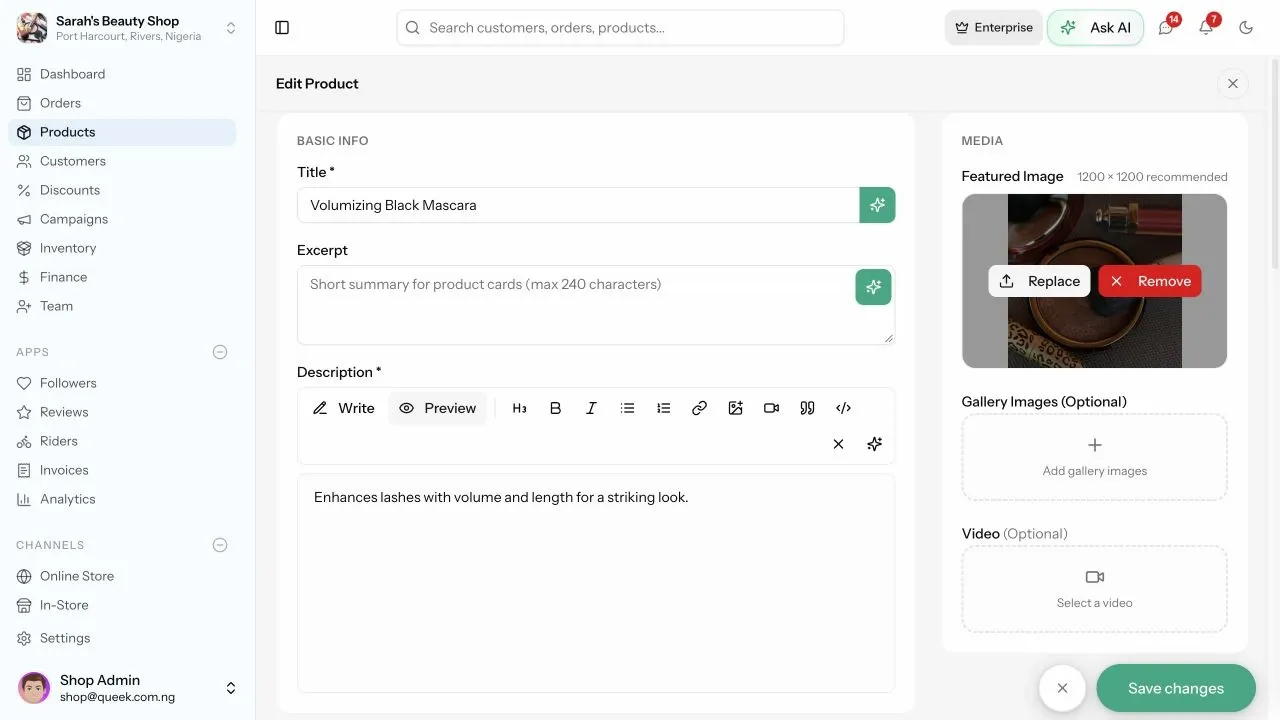
Check the desktop result
- The intended channel shows as connected.
- The greeting and offline message are customer-ready.
- The test message appears in the correct Inbox.
Connect and check an Inbox on mobile
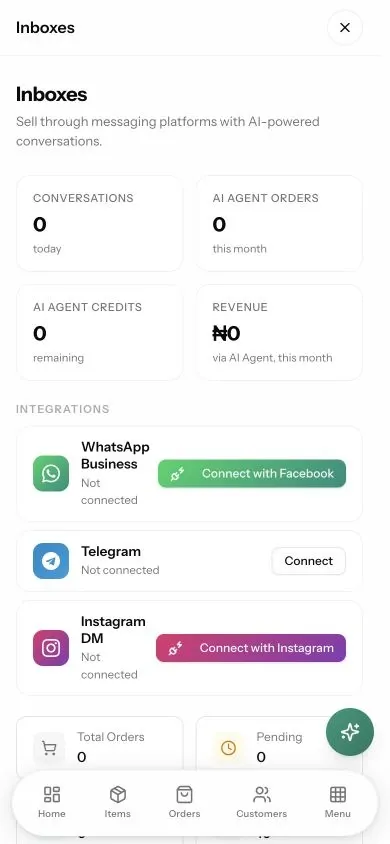
- Tap Menu → Inboxes and open the channel card.
- Tap Connect with Facebook for WhatsApp or Connect Telegram for Telegram, then complete the provider sign-in.
- Return to the channel and confirm its connected or online status.
- Open AI Agent Settings, review the agent name, greeting, hours, and chat experience, then open Training for FAQs or product knowledge.
- Save the changes and confirm the product is enabled for Inboxes.
- Send a test message from another account and check the response, payment link, and order record.
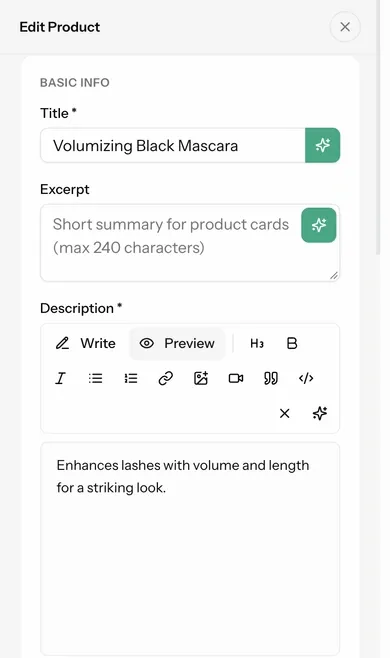
Check the mobile result
- The correct channel is connected.
- The messages read correctly on a phone.
- A test conversation reaches the right Inbox.