
← All guides
Restock with purchase orders and suppliers
Create a purchase order, receive the delivery, and let Queek add the received quantities to inventory.
Use a purchase order when stock is coming from a supplier. Receiving the order records the restock and updates inventory together.
Create and receive a purchase order on desktop
- Open Inventory, select the Purchase Orders tab, and press New Purchase Order.
- In the form, choose a Supplier. If the supplier does not exist, create the supplier record first from the Suppliers tab.
- Under Items, choose a Product, enter its Quantity and Unit Cost, and add optional Line Notes. Press Add item for more products.
- Enter the expected delivery date and any purchasing notes. Check the subtotal and item count.
- Press Save Draft when the order is still being prepared, or Create & Order when it is ready to send to the supplier.
- When the delivery arrives, open the purchase order, choose its receiving action, confirm the delivered quantity for each line, and save the receipt. Queek adds the received quantity to stock.
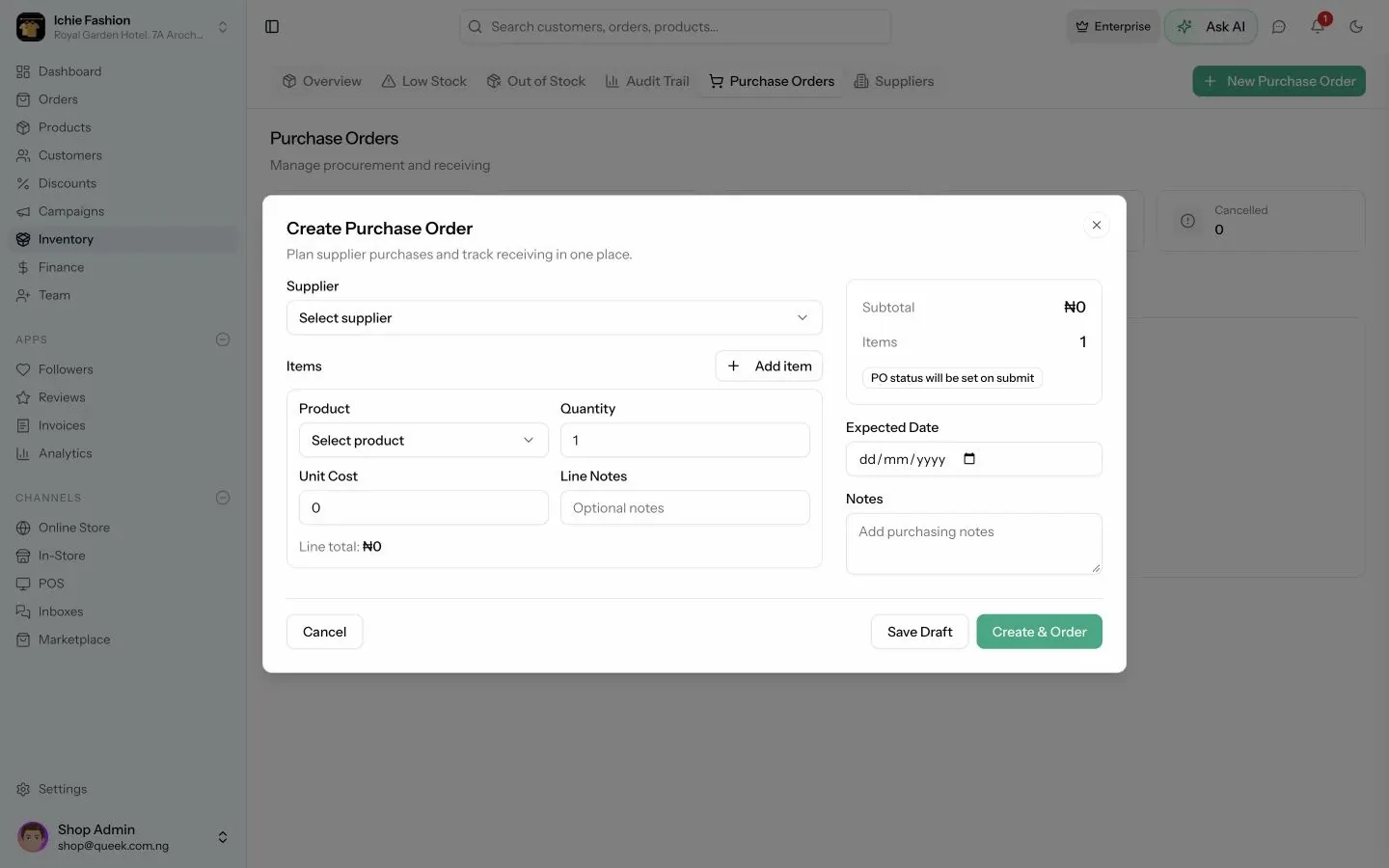
Desktop view: receive stock against the purchase order instead of changing inventory by hand.
Check the desktop result
- The purchase order shows the right supplier and items.
- Received quantities increased inventory.
- The order status makes it clear what is still pending.
Create and receive a purchase order on mobile
- Open Menu → Inventory, tap Purchase Orders, then tap New Purchase Order.
- Select a supplier, or add the supplier from the Suppliers tab first.
- Select each product, enter its quantity and unit cost, and tap Add item for additional lines.
- Add the expected date and notes, then tap Save Draft or Create & Order according to the order’s state.
- When stock arrives, open the purchase order, tap the receiving action, confirm each delivered quantity, and save the receipt.
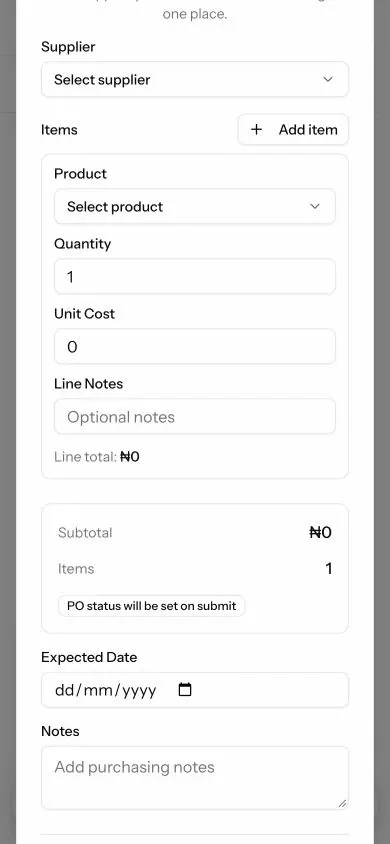
Mobile view: receive only the quantities that actually arrived.
Check the mobile result
- The supplier and items are recorded correctly.
- Inventory increased by the received quantity.
- Any short delivery remains visible for follow-up.